Too much at once? See the simple version: Meet Ayewon

Home/Detail for the detail-oriented

For engineers, tech writers, podcast hosts and technical buyers

Detail for the detail-oriented. A breakdown of what our system is, what it does, and how it runs.

A1Ai Digital is a small marketing agency in Salt Lake City that runs on a team of Claude agents we call Jarvis. This page gathers what we’ve published about how it works: the architecture, the measured numbers, the videos, and the parts we haven’t proven yet. Every number points to the post that shows how it was counted.

Not technical? Start with the plain-English versions: Ayewon in Plain English and Who Does the Work?

A note on the name: Jarvis is what I named my Ayewon, the AI assistant in the A1Ai Workspace. You can name yours whatever you like.

model
Claude Anthropic
runtime
Claude Code, many tabs at once Anthropic
memory
489 notes, 138 lessons; 0.7% loads at start Ours
tools
325 over MCP, one permission gateway Ours
schedule
self-upgrade daily, briefing on weekdays, scout weekly Ours
operator
one person

The system on one screen

From a few typed words to finished work.

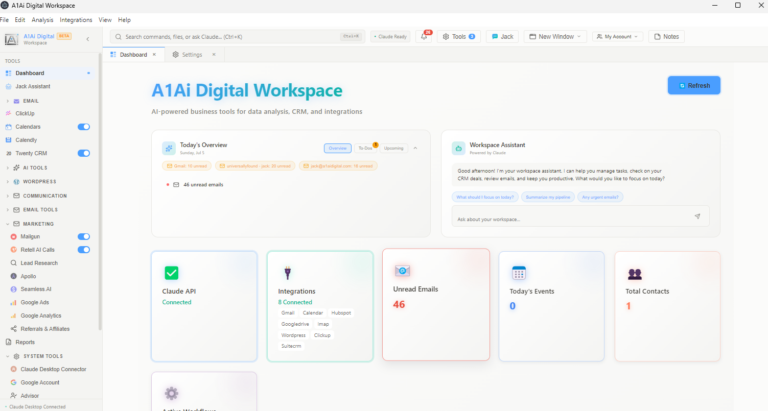
Jarvis is Claude Code with a memory, a rulebook and a connector to our business tools. A request goes in as a few words. Jarvis works out the steps and calls tools through the A1Ai Workspace, and every one of those calls passes a permission gateway before it runs.

1 · You

The owner

Types short requests. My median prompt is 12 words. Says yes before anything goes out under my name.

2 · Jarvis

Claude Code, plus what we built around it

  • The model and the agent runtime Anthropic
  • A memory of 489 notes and 138 lessons. Only 0.7% loads when a session starts. Ours
  • A rulebook: what it may do alone and what needs a yes Ours
  • One file per open job, so unfinished work comes back Ours

3 · A1Ai Workspace

325 tools, one gateway

  • ARead only: always allowed
  • BWrites data: checked by policy
  • CSend, publish, delete, spend: waits for a person by default

4 · The business

Where the work lands

EmailCRMTasksWordPress sitesGoogle AdsAnalyticsSearch ConsoleSocial

On our own PC 32% of busy time

Builds and test runs, cutting and transcribing video with ffmpeg and Whisper, a local copy of each website where every change is checked first, and a real browser for sites that have no API.

On a schedule, with nobody watching

A self-upgrade run early every morning, a briefing on weekdays and a weekly automation scout. They can’t use the connector, the web tools or the usual download commands, can’t push code and can’t send email. Anything that needs one of those gets written up for review.

The numbers

Counted, not guessed, with the source for each.

642

commits to the Workspace app since July 30. Not one of them reverted.

How Jarvis Is Built

~7,450

automated test cases in 662 test files.

How Jarvis Is Built

325

tools behind one permission gateway, shared by three different assistants.

How Jarvis Is Built

0.7%

of Jarvis’s notes load when a session starts: about 59 KB of 8.6 MB.

How Jarvis Is Built

97.2%

of the 466 million tokens read on one morning came from the cache.

How Jarvis Is Built

51%

of busy time is Claude generating. Another 32% is our own PC running tools.

Claude, My PC, or Me

12

words in my median prompt, out of 2,093 prompts in 22 days.

Claude, My PC, or Me

~1,100

tokens Claude writes back for every word I type.

Claude, My PC, or Me

Counted November 21 to 23, 2026, from the Workspace app’s git history and source code, Jarvis’s own notes, and the Claude Code session logs on our machine. Each article ends with exactly how it was counted.

Read in this order

Three deep dives, about half an hour in all.

01 · The demo

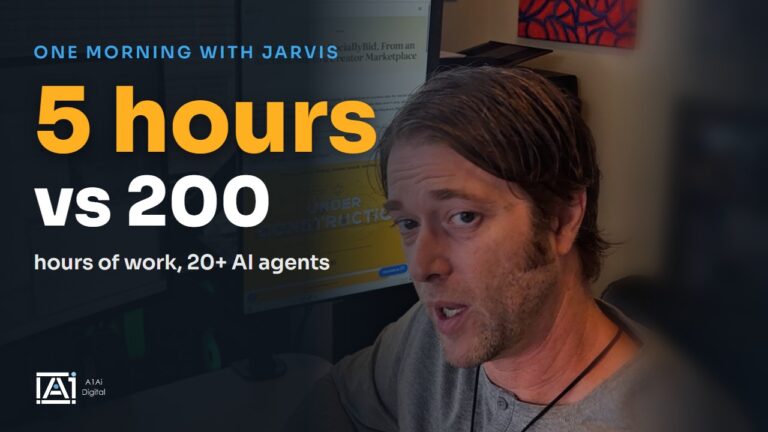
One Morning With Jarvis

One real morning of client and company work, filmed and logged. The post covers every project and estimates what the same work would have taken without Jarvis.

  • 14 terminal tabs, 20+ agents, 21 AI work sessions
  • 105 prompts, about 1,800 tool actions, 217 files written or edited
  • About 5 hours of my time, against an estimated 200 by hand
Video, 8:41. Article, about 14 minutes.

Workspace app commits by month · 0 reverted 17Aug87Sep249Oct288Nov

02 · The architecture and the receipts

How Jarvis Is Built

What’s ours, what’s measured, and what we haven’t proven yet. Written for engineers, from git history, the source code and the session logs.

  • What’s Anthropic’s and what’s ours, side by side
  • The permission gateway’s rules, read from the source
  • 642 commits, 0 reverts, and the 6% fix rate beside them
  • Three failures we learned from

Article, about 10 minutes.

Where the busy time went, November 1 to 22 All work51%32%10% Video50%21%23% Websites55%28% App dev48%49% ClaudeOur PCBrowserOutside

03 · Where the work runs, and who does it

Claude, My PC, or Me

22 days of real work, split second by second between Claude, our PC, the browser and outside services, and an honest answer to how much of it is me.

  • 305 busy hours across 300 sessions
  • Video puts the least on our PC (21%), app development the most (49%)
  • 56,279 words typed, against 61.5 million tokens written back
  • What’s still the human’s part

Article, about 8 minutes.

Watch it work

Two videos, both on a real business.

One Morning With Jarvis 8:41

14 tabs and 20+ agents working through a full day of client and company work, while I mostly stay out of the way.

Read the post behind it

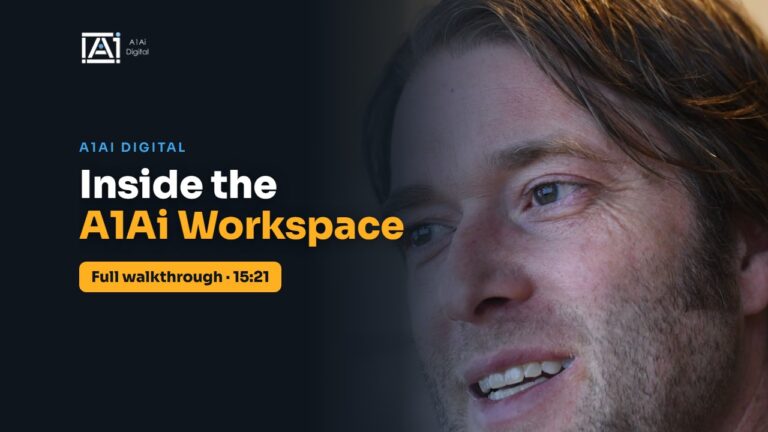
Inside the A1Ai Workspace 15:21

Every screen of the Workspace on my own business, ending with Jarvis building a 15-step workflow on camera from one request. Also in 13 short parts, below.

Read the walkthrough post

For IT teams and partners

What an IT firm asks before it recommends us.

If you look after a client’s computers, accounts and security, these are the questions to settle first. Here are the short answers, and I’ll go through any of them on a call.

Where does it run, and whose account is it?

The A1Ai Workspace is a desktop app on the client’s own Windows computer (a Mac version is on the list). The AI runs under the client’s own Claude account, billed by Anthropic, not under one of ours. The website, ad accounts, CRM and data stay the client’s, and they keep all of it if they leave.

What can the AI do without a person?

Reading is always allowed. Writing data is checked against a policy. Sending, publishing, deleting and spending wait for a person by default. The policy belongs to each connection and is enforced in the Workspace’s gateway code, not by instructions in a prompt. Scheduled runs with nobody watching can’t send at all.

What isn’t it for yet?

Work that requires HIPAA compliance or other regulated data: we don’t take it on right now. It runs on Windows today, it’s strongest on WordPress websites, and a GoHighLevel connection is coming but isn’t here yet. Better you hear that from us first.

How would a partner offer it?

Two ways. As an add-on for clients you already serve: you keep the IT and security relationship, and we run the marketing side with them. Or built to order around one network’s own data, such as a distributor sales force. Referrals go both ways.

Where it fits among what small businesses already hear about

The optionWhat it does wellWhere it falls short for a 1 to 10 person business
All-in-one platformsGoHighLevel, HubSpot, Keap

Does wellOne system for CRM, messaging and automation.

Falls shortThe business moves onto their platform, and someone on the team still has to learn it and run it.

“AI employee” appsSintra, Marblism, Lindy

Does wellQuick, inexpensive bots for one job: social posts, an inbox, a receptionist.

Falls shortEach bot sees one slice of the business. There’s no shared memory across accounts, and nobody is accountable for results.

General AI assistantsChatGPT Business, Microsoft 365 Copilot

Does wellWriting, research and summaries.

Falls shortThey help a person do the work. They don’t run the ad accounts, the website or the follow-up.

Marketing agenciesNational firms and local SEO shops

Does wellReal people with real expertise.

Falls shortThe owner sees a monthly report rather than the work, and rarely ends up with a system they can run themselves.

A1Ai WorkspaceAI agents plus our team

Does wellAgents that see every connected account, working with the tools the business already has, and people accountable for the numbers.

Falls shortIt’s early, and the limits are in the card above. The client keeps the system either way.

Categories as of October 2026. The longer version, with each company’s own headline and its published prices, is a two page PDF. Ask and I’ll send it.

What we haven’t proven yet

If you quote the numbers, quote these too.

A hallucination rate

In my experience Jarvis makes things up very rarely, and it checks its own work. That’s an observation, not a measurement. We have the logs to compute a rate and haven’t yet.

A task success rate

We measure activity: sessions, tool calls, files and commits. Not how often a task came out right the first time.

A test pass rate

About 7,450 test cases exist. We report how many there are, not how many pass, because we didn’t run the suite for the post.

Scale beyond one operator

Everything here is one person running many sessions on one machine. Whether it holds for a team is untested.

Cost at API prices

We run on a subscription plan. The token counts are published, so anyone can work out the API cost. We haven’t claimed one.

Hours without Jarvis

The 200 hours in One Morning With Jarvis is an estimate with a range, and it’s labeled as one. The activity behind it is measured.

For podcasts, writers and technical teams

Happy to go deeper, on air or on a screen share.

I’m Jack Frazier, and I’ll go into any of this in as much detail as your audience wants. A few angles:

  • One operator, a team of agents. Running a real agency on Claude, many sessions at once, coordinating through shared files and messages.
  • Who actually does the work? Splitting 305 busy hours between Claude, the PC and the person.
  • A permission gateway for AI tool calls. Three tiers, identity from the connection, and why a preview can’t be a loophole.
  • Context as a budget. Why only 0.7% loads at startup, and the day the startup digest said “complete” and delivered nothing.
  • An agent that improves itself every morning, with the doors locked.
  1. Email or call Jack

    Tell me about your show, publication or team, and what you’d like to see.

  2. We share a screen

    The morning briefing, the notes, the upgrade queue and the approval cards in the app, live. About 30 minutes, recorded on your end if you want the footage.

  3. Ask about any number

    I’ll walk you through how it was counted, and what it doesn’t prove.

Questions technical people ask

Straight answers.

Is Jarvis its own AI model?

No. The model is Claude and the agent runtime is Claude Code, both made by Anthropic. What we built is everything around them: the memory, the rulebook, the A1Ai Workspace app with its 325 tools and permission gateway, and the scheduled runs.

Is A1Ai affiliated with Anthropic?

No. We build on Claude, the AI from Anthropic, and we are not affiliated with or endorsed by Anthropic.

Does Jarvis send email or publish on its own?

Not without a yes. Every tool call goes through the Workspace’s permission gateway, and by default anything high-impact (sending, publishing, deleting, spending) waits for a person to approve it in the app. Scheduled runs that nobody is watching can’t send at all. On my own setup I’m in the conversation, and Jarvis shows me the exact words and waits for my yes.

Can I check these numbers myself?

Yes. Each article ends with how its numbers were counted: the git commands behind the code numbers, and the method behind the time split. Anything that’s an estimate is labeled as one.

Where does a client’s data live?

The Workspace runs on the client’s own computer, and the AI runs under the client’s own Claude account, not one of ours. Whatever we build for a client, the client owns, CRM included.

Can my business get its own Jarvis?

Yes. Jarvis comes with the A1Ai Workspace, and our team sets it up and runs it with you: we run your marketing for you, you run it yourself, or we do it together. It starts with a free marketing review. Meet Jarvis.

Keep going

More from inside the system.

The Workspace walkthrough in 13 short parts, plus the posts around it.

2:05Video · Part 1 of 13Your Day at a GlanceThe dashboard, the Today plan, email and Jarvis: what the business needs from me today. 0:57Video · Part 2 of 13Jarvis Bought the Birthday PresentNo gift for a party. Jarvis went through my notes, searched nearby stores and filled the cart. 0:51Video · Part 3 of 13Too Much to Learn? Talk to JarvisPeople see a lot of screens. Why you never have to learn all of them. 1:17Video · Part 4 of 13The Jarvis BrainA brain of connected notes, loop triage for unfinished work, and a setting for how far ahead it works. 1:56Video · Part 5 of 13Your Whole Business in One PlaceBusiness info and a living business plan, pulled only when Jarvis needs them. 0:40Video · Part 6 of 13When Jarvis Said NoI had an idea for a side project. Jarvis told me not to go down that road, and why. 1:14Video · Part 7 of 13We Work the Way You WantWe run it for you, you run it yourself, or we work on it together, month to month. 1:15Video · Part 8 of 13Website Security for the Age of AI HackingVisitors, SEO and security for a WordPress site, on one screen. 1:19Video · Part 9 of 13SEO and GEO in One ClickAudit any page for search and for AI answers, then fix it in one click or hand it to Jarvis. 1:11Video · Part 10 of 13You Own Your DataYour website, ads, social, analytics and CRM belong to you. Leave, and you keep everything. 0:53Video · Part 11 of 13One Record per ClientEvery email, note and conversation with a client in one record. Plus the AI dialer. 0:48Video · Part 12 of 13What Moved the NeedleGoogle updates marked on the analytics chart, your own notes, and Jarvis digging for what converts. 1:50Video · Part 13 of 13Watch Jarvis Build a WorkflowI asked for a workflow we needed. Jarvis proposed a chat follow-up and built all 15 steps. 7:50Article and videoHow We Made a 7-Minute AI Music VideoHow Jarvis ran the production of a music video made entirely from AI clips, and the hallucinations we caught. ArticleA Day With an AI AssistantA normal day with Jarvis, hour by hour: the briefing, drafted follow-ups, call notes and tomorrow’s plan. ArticleWhy Jack Built JarvisAfter a decade of small business marketing, the problem usually wasn’t the marketing. It was the follow-up. ArticleMarketing Without Lock-InYour contacts, website and ad account stay yours, even if you leave. What to check before you sign.

Use the arrows, or swipe, to see all 17.

Want the details live? Let’s talk.

Jack answers his own email and phone. If you’re a business owner, the free marketing review is where we start.

Back to a1aidigital.com · Meet Jarvis · Contact

Podcast Form

AI Assistant

Thank you for taking the time to review us, please let us know how your experience has been!
02:07
Newsletter

Stay up to date on what we are doing and ai as a whole.

Contact Us

Need some more details, help, or just want to say hello? Let us know!